Analytics Dashboard
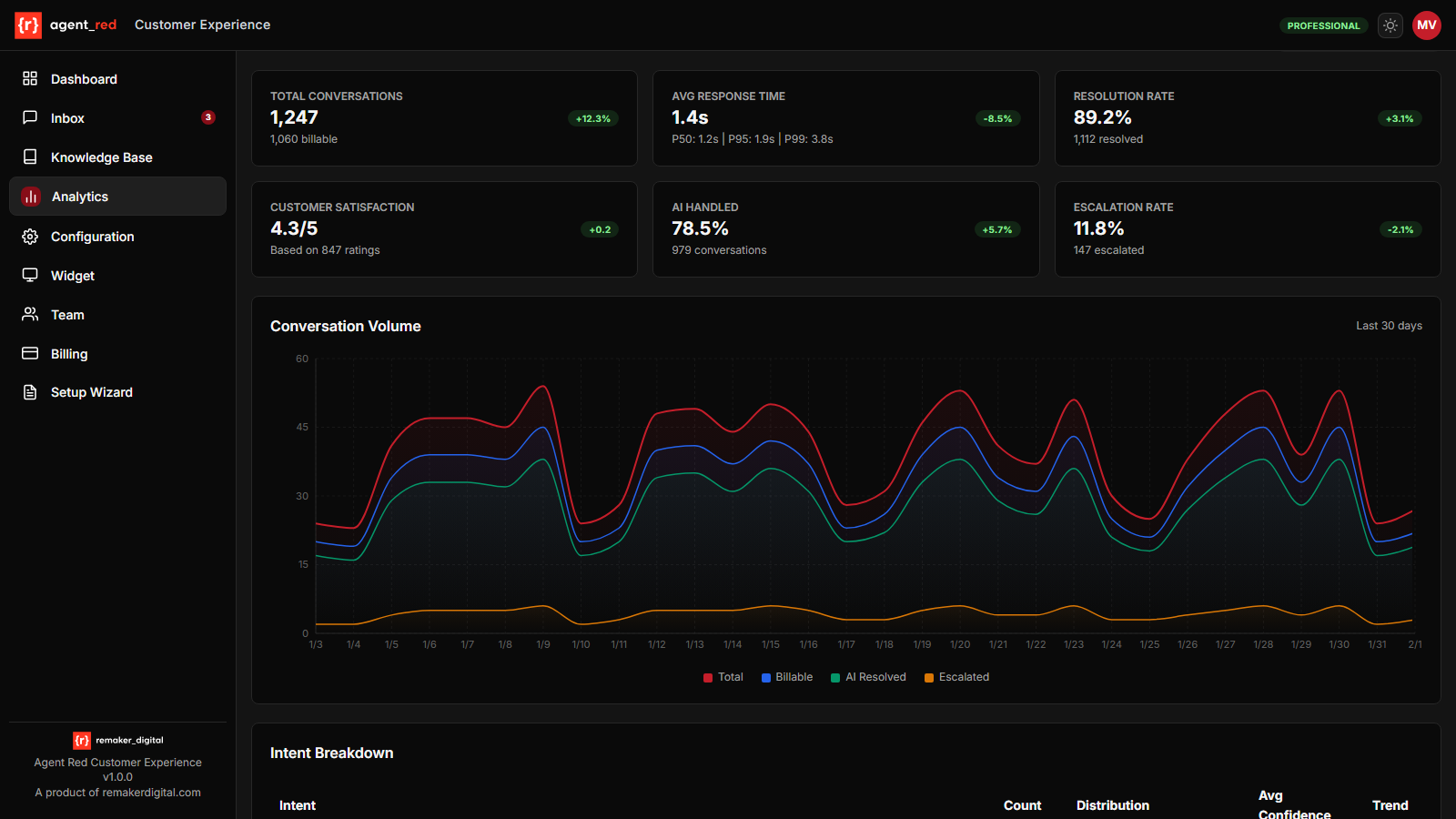
The Analytics Dashboard gives you a real-time view of your AI agent's performance, customer engagement trends, and areas for improvement.
Analytics-to-action loop
Key Metrics
Total Conversations
All conversations started in the selected period, including both billable and non-billable sessions (test, admin, and health-check conversations are excluded from billing but included in total count).
Average Response Time
The average time for the AI to generate a complete response, measured from the moment a customer message is received to when the response is delivered. Lower times indicate faster, more responsive support.
Resolution Rate
The percentage of conversations resolved entirely by the AI without requiring human escalation. A higher resolution rate means your knowledge base and agent configuration are effectively handling customer needs.
Customer Satisfaction
Average customer rating on a 1–5 scale, collected via optional post-conversation feedback. This metric only reflects conversations where customers chose to leave a rating.
Escalation Rate
The percentage of conversations handed off to a human team member. Monitor this alongside your escalation threshold setting in Agent Configuration to find the right balance.
Daily Usage Chart
The daily usage chart shows two series — total conversations and billable conversations — over your selected time period (7, 14, 30, or 90 days). Use this to identify peak support hours, seasonal trends, and the impact of marketing campaigns on support volume.
Top Topics
The most frequently detected customer topics, ranked by conversation count. This helps you understand what customers are asking about most often and whether your knowledge base adequately covers those areas.
Topic Breakdown
A complete table of all detected topics with conversation count and distribution percentage. The AI processing pipeline labels each topic with a user-friendly name (e.g., "Question routing", "Knowledge lookup", "Response generation", "Quality review"). Use this to prioritize knowledge base improvements — topics with high volume but low resolution rates are candidates for new or updated articles.
Knowledge Gaps
Conversations where the AI lacked sufficient knowledge to fully resolve the customer's query. Each gap entry links to the conversation for review. Address gaps by adding or updating entries in your Knowledge Base.
© 2026 Remaker Digital, a DBA of VanDusen & Palmeter, LLC. All rights reserved.
Was this page helpful?